Welcome to the
Powder24 AI Hub
Your central resource for everything Claude — get set up, stay informed, and help shape how we work smarter.
Claude Basics
Read through the essentials of how Claude works, which products and models to use, and sign to confirm you've understood.
Log Your Connectors
Tell us which Claude integrations you've tried — helps the team understand where AI is making a difference.
Data Upload Checklist
Before uploading anything to Claude, run through this quick checklist to keep data safe and compliant.
Log Your Learning
Access the compulsory courses and other resources to build your Claude skills and earn certificates.
Claude in a Nutshell
A structured overview of how Claude is set up, which products and models to use and when, and where to build your knowledge further. Items highlighted in green are governance points. Read through and sign at the bottom.
Think of Claude as an intelligence with 3 platforms, 3 products and 3 models
The more you collaborate and test, the more it makes sense and the better Claude can assist you.
Getting started with Claude in a structured way will save you a lot of time. This guide gives you a simple overview of how Claude is set up, which products and models to use and when, and where to go to build your knowledge further. It's not exhaustive — it's intentionally a starting point to act as a frame for you to explore from.
Items highlighted in green are governance points.
Claude is available on 3 platforms
- Web (Claude.ai) — "boxed off", it can only see files that have been uploaded.
- Desktop — meaningfully more capable. The Cowork product only works on desktop.
- Mobile — not great for building projects or complex tasks, but great for quick questions and consuming information. Has a native voice mode so you can speak to it and get spoken replies.
All 3 sync to each other when logged into your account.
Summary: use Desktop for everyday work, Mobile for quick questions when away from your desk.
Claude has 3 main products
- Claude Chat — an LLM like ChatGPT. You prompt it, it responds. Great for brainstorming ideas and augmenting human thinking.
- Claude Cowork — for non-technical people who want agentic automation (allowing repetitive and rule-bound tasks to be automated) or more complex projects pulling from multiple sources. It can also organise multiple files. Only available in the Desktop app and it can only see what is shared with it. Think of Cowork as conversation shifting to delegation.
- Claude Code — for developers. An AI coding assistant that delegates technical execution.
Summary: use Chat for everyday tasks, Cowork for more complex projects.
Please read the "Use Cowork safely" articles here.
Claude has 3 models
- Opus — for complex tasks.
- Sonnet — for everyday use. This should be your default.
- Haiku — the quickest and lightest.
You select the model in the chat field via a simple dropdown.
Additional functions
- Extended Thinking — on the same dropdown. Good for complex planning. Keep off by default and switch on when needed to manage usage. When on, it allows you visibility on how Claude reached a conclusion (called "Citations"), useful for complex tasks where verifying the output may be more complex.
- Research Mode — toggled by the + symbol in the chat field. Allows Claude to scan multi-angle sources. Increases output time and usage rates. When in Research Mode, Extended Thinking should also be turned on as the two work best together.
Tutorials and Academy certification
We would like all Claude company users to do the following academy courses:
- Claude 101 — foundational knowledge. We recommend watching the Getting Started with Claude AI tutorial (5 mins) before starting. The course takes around 3 hours.
- Introduction to Claude Cowork — covers more specific use cases and plug-ins. Do this once Claude 101 feels comfortable. Takes around 2 hours.
We suggest bookmarking the above 2 courses to refer back to. The hope is that once you've completed these courses, you'll be able to review task lists and understand how Claude can streamline how objectives are achieved.
Once you have completed the courses, you receive a certificate on your account:
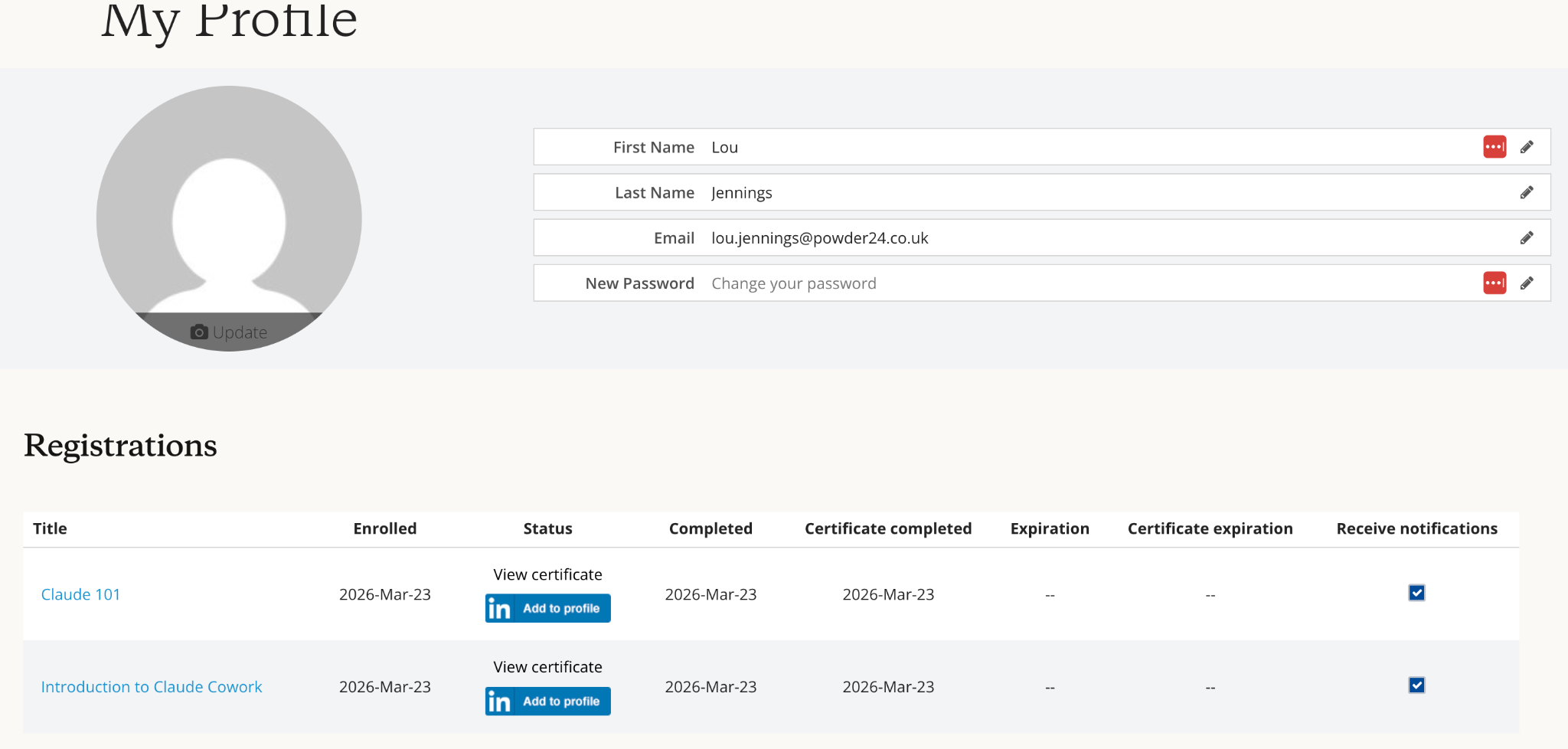
The above guide should be read in parallel to Powder24's AI usage policy and parameters.
The Anthropic Academy is extensive. In addition to the above, you may find tutorials that focus on specific departments useful. See the section under "Ways to use Claude" here (for example, Claude for Marketing / Claude for Product Management).
The AI Fluency Framework course is also useful as a recap on how to best use AI platforms, both from an efficiency perspective and from an ethical and risk-aware level.
Projects vs Chats
- Chats — standalone conversations. Each starts fresh with no memory of previous sessions. Great for one-off tasks, quick questions, or exploratory thinking.
- Projects — give Claude persistent context across multiple conversations, meaning you can store background information that Claude will refer back to every time you open that project. Use a Project for anything recurring or where context matters (and you don't want to keep repeating the context).
Chats can be linked into Projects or created within them.
Connectors
Connectors allow Claude to link directly to external tools and platforms you already use — Google Drive, Slack, Notion, or calendars. Once connected, Claude can read from and in some cases interact with those tools.
For now, we are doing an audit of which connectors people have used before confirming what we are happy with. Please avoid connecting any more connectors until we have completed the audit or if you need something urgently, please ask LJ/TS. As a general principle, we should only connect tools that hold data you'd be comfortable with Claude having visibility of, and be clear on the set-up permissions when connecting the tool.
Once the connectors audit is complete, we will communicate settings that should be checked are in place. For each connector, it is vital that you check your settings match what we communicate exactly, even if the system allows you to do otherwise. In the interim, consider the settings of any connected apps — "read only" or "ask before acting" are typical instructions to opt for rather than allowing full access.
Other operating principles
- Claude in Chrome: Should be disabled at individual level, even though it is authorised at organisation level. We recognise this has significant potential and are currently testing it, but as Anthropic themselves advise, it should only be used for low-risk activity while in beta. We'll revisit this as it matures — please keep it disabled for now.
- Desktop app, not web: Please use the Claude desktop app for general work, rather than the web interface. According to Anthropic's own guidelines, the desktop app has a stronger security profile. This is particularly important when working with any sensitive or commercial documentation.
- Web search: Currently disabled at organisation level. The reason is that web search involves some data considerations we are yet to fully vet or understand. Until we've assessed the risk and defined appropriate use cases, the conservative position is to keep it off.
- Training data: We have opted out of Anthropic's model training programme at the organisation level. This means your inputs and outputs are not used to train or improve Claude's models. This does not affect the quality of the tool — it is a data protection decision.
Saving and storing work generated by Claude
For the Claude desktop app, Claude operates locally — it saves files to your computer's file system. Whilst work is being generated and stored locally, we recommend:
- Uploading any work to G Drive as you would normally.
- Deleting from your local storage once this is done to save on space.
For the Claude web interface, files behave differently. Files you upload are analysed but not saved locally by Claude. If Claude generates a document, you can "download" it to your computer's default downloads folder.
Ultimately we hope for Claude to be integrated fully with the P24 Drive, which will make this simpler — but for now, the above applies.
Last updated: 29 April 2026 — Tom & Lou, Powder24 AI Team
Data Upload Checklist
Before uploading anything to Claude, run through this checklist. This applies to any AI tool, but for the purpose of this communication, we are concentrating on Claude.
Before uploading anything to Claude…
Alongside the general company AI usage policy, please use this checklist before uploading any data or documents to Claude:
If you're not sure whether something falls into the above categories, ask before uploading. The default position should be caution.
Connector Tracker
Tick the connectors you've used. You can only update your own row — this helps the team see where Claude is being put to work.
| Loading... |
Learn
Complete the two compulsory courses below, then explore further resources at your own pace.
Claude 101
Foundational knowledge — covers what Claude is, its features, and how to use it well. We recommend watching the Getting Started with Claude AI tutorial (5 mins) before beginning.
Introduction to Claude Cowork
Take your usage up a notch — covers specific use cases, plug-ins, and agentic automation. Do this once Claude 101 feels comfortable.
Admin Dashboard
Usage statistics and team activity — visible to Tom and Lou only.
👥 Team Activity
🔌 Connector Adoption
➕ Manage Team Members
Add new starters here — they'll appear on the login screen immediately. Default PIN is 23456 (same as everyone else) unless you set a different one.